Universal Controller Kit for GDevelop
A downloadable tool
GDevelop 3D Controller Toolkit
Universal Controller Kit
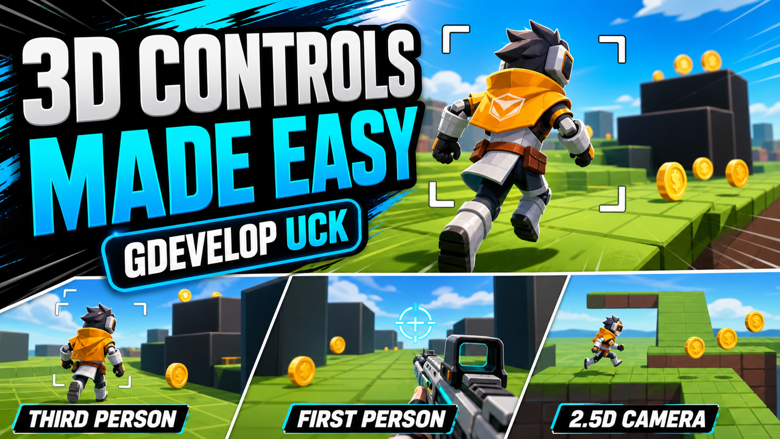
Build FPS, third-person shooter, top-down, and 2.5D character controllers faster inside GDevelop.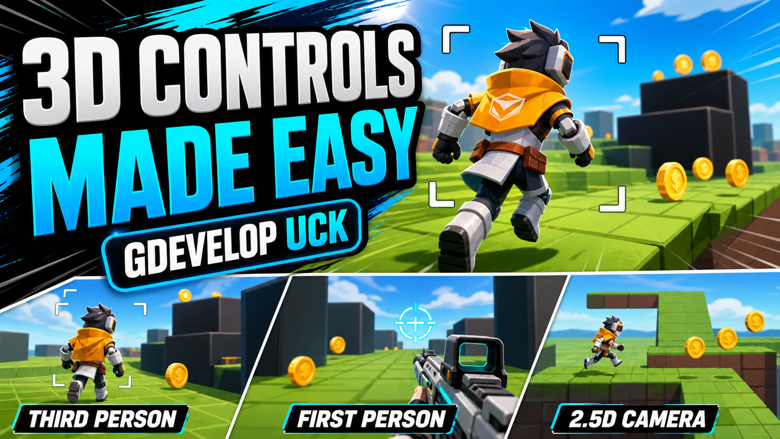
One extension. Multiple controller foundations.
Universal Controller Kit is a modular GDevelop extension made for developers who want ready-to-build movement, camera, aiming, and 3D attachment systems without starting from scratch every time.
Character Controllers
Create FPS, TPS, and 2.5D movement using reusable behavior-based controls with walking, running, sprinting, jumping, gravity, crouch, aiming, states, and velocity expressions.
Camera Controllers
Use first-person, third-person shooter, top-down, and 2.5D camera behaviors with smoothing, pitch/yaw control, camera shake, FOV options, and obstacle handling.
Bone Socket Tools
Attach weapons, items, props, or equipment to 3D model bones while syncing logical GDevelop positions for collision, hit checks, and gameplay logic.
Prototype Faster
Switch between different controller foundations quickly and test FPS, TPS, top-down, or 2.5D gameplay without rebuilding the basics from zero.
What Is Universal Controller Kit?
Universal Controller Kit is a modular extension for GDevelop 3D projects. It gives you multiple controller and camera behaviors that can be used for prototypes, shooters, action games, top-down games, 2.5D platform-style projects, and character-based experiments.
Main Modules Included
- UCK Character Controller for FPS, TPS, and 2.5D movement
- UCK Camera Controller with First Person, Third Person Shooter, and 2.5D modes
- UCK First Person Camera behavior
- UCK Two Point Five D Camera behavior
- UCK Top Down Character Controller
- UCK Top Down Camera Controller
- UCK Bone Socket 3D attachment behavior
- Global input enable/disable actions
Current Features
- FPS-style movement and camera setup
- Third-person shooter camera support
- Top-down 3D movement with optional mouse facing
- 2.5D side/angled camera support
- Camera-relative movement options
- Walk, run, sprint, crouch, jump, gravity, and air movement settings
- Camera smoothing, damping, pitch, yaw, and shake controls
- Third-person aim point expressions for reticle-style gameplay
- Camera obstacle shortening options
- Top-down camera look-ahead and FOV options
- Bone socket attachment for 3D models
- Logical position sync for attached 3D objects
Useful For
- FPS prototypes
- Third-person shooter prototypes
- Top-down 3D action games
- 2.5D platformer-style projects
- Horror games with 3D camera movement
- Action games using weapon attachments
- Testing different camera/controller styles quickly
- Building reusable GDevelop 3D templates
Basic Setup
- Download the extension file.
- Open your GDevelop project.
- Import the extension into your project.
- Add the behavior you need to your player object.
- Choose the controller or camera mode that fits your game.
- Adjust speed, damping, camera, jump, aim, and movement settings.
- Preview your scene and tune the values for your project.
Example Setups
FPS Setup
Add the character controller and use FPS mode, then pair it with the first-person camera behavior or the combined camera controller.
TPS Setup
Use the character controller in TPS mode with the camera controller set to Third Person Shooter mode.
Top-Down Setup
Use the top-down character controller with the top-down camera controller for 3D action or shooter-style movement.
Bone Socket Setup
Add the Bone Socket 3D behavior to a 3D model object, then attach weapons or props to named bones such as RightHand.
Requirements
- GDevelop project using 3D objects/features
- Basic knowledge of GDevelop behaviors and events
- 3D model objects required for bone socket attachment
- Some tuning may be needed depending on your character scale and scene setup
Important Notes
This is a developer tool, not a finished game template. It gives you reusable controller and camera systems that you can build on, customize, and tune for your own project.
Download Notes
Download the file, import it into GDevelop, and test it in a clean scene first before adding it to a larger project. Always keep a backup of your project before importing or updating extensions.
Support & Feedback
If you find bugs or have feedback, leave a comment with details about your GDevelop version, the behavior used, your setup, and what happened. Feedback helps improve future versions.
Download
Click download now to get access to the following files:
Development log
Leave a comment
Log in with itch.io to leave a comment.